New Lexis Search

The LexisNexis premier online research platform, www.mylexisnexis.co.za, offers online access to a comprehensive range of content from trusted and authoritative sources.
Now along with the best in content comes the best in search functionality with added features to help you search smarter, not harder.

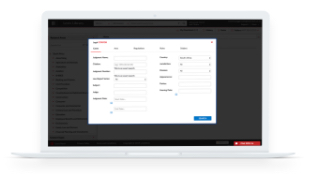
Locate the exact information you require with 9 filter options

Instead of having to scroll through pages of results to locate the information you need, our new search filters allow you to select the specific criteria to filter results further and provide only the information you need- quickly and easily.

Results can be filtered by the following criteria:

  • Narrow Search:
    Allows you to add additional search terms to your current search to narrow your search result. 
  • Referenced Act:
    Lists which Acts are referenced within your results.
    This enables you to filter your results to show results relating to a particular piece of legislation.
  • Subject:
    Lists all the subject areas covered in your search results.
    This enables you to filter your results to only show the subject areas pertinent to your query.
  • Judge:
    Categorises results by the judge ruling on the case, enabling you to understand how a particular judge ruled on similar matters.
  • Year Published:
    Displays in which year your results were published.
  • Publication Source:
    Shows the origin of the results, in relation to the Table of Contents.
    This enables you to specify if you would like to see results from only labour law reports or arbitration awards for example.
  • CiteIT Signal:
    Filter your results based on Sheppard's signal with the CiteIT Signal filter.
    The CiteIT Signal filter categorises results by their precedential value and allows you to limit your results to only confirmed, overruled, neutral or cautionary cases.
    More detail on cases citation can be accessed by clicking the signal icon within the results.
  • Region:
    Displays from which provinces you results are sourced.
    Chose to filter your results based on their geographical location.
  • Document Type:
    Lists the type of document your results originate from,  giving you the power to chose only the relevant documents i.e. legislation, law reports, journals.


Uncover more details to add further insight with our Related Content Tab

While viewing the text of a Law Report or Legislative content discover referencing works at the click of a button.

To see an example of the new search functionality in action - view getting started guide